
Live TV and EPG
Watch your IPTV subscription’s live channels with the built-in EPG programme guide, categories, search and instant channel switching.
Find out more AICKO IPTV: the free app for your IPTV playlists

iOS · Android · Windows · Smart TV

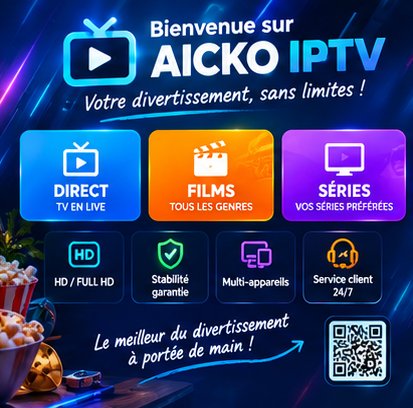
AICKO IPTV plays your own Xtream Codes or M3U subscription: live channels with EPG, movies, series and MP3 audio streams. As a mobile app, as PC software and on television.
An interface built for the thumb and for the remote alike, with the features that really make a difference day to day.
Watch your IPTV subscription’s live channels with the built-in EPG programme guide, categories, search and instant channel switching.
Find out moreBrowse the movie catalogue of your IPTV subscription: posters, plots, ratings, cast, trailers and automatic resume where you left off.
Find out moreFollow your series season by season in AICKO IPTV: episode-by-episode browsing, saved progress and resume exactly where you stopped.
Find out moreOne search for your channels, movies and series alike. Instant results as you type, on the phone and with the remote control.
Find out moreMark your favourite channels, movies and series. Your favourites follow you on every device signed in to the same AICKO IPTV account.
Find out moreA fast, stable player: audio and subtitle tracks, aspect ratios, automatic restart after a dropout and controls made for the remote.
Find out moreIPTV player for the big screen: remote-first interface, D-pad navigation, Samsung, Android TV and Fire TV. Bring your own subscription.
Find out moreConnect your television with six digits: type your credentials on your phone and never spell out a URL with the remote again.
Find out moreFavourites, playback progress and hidden categories follow your account. Start a movie on your phone and finish it on the television.
Find out moreAICKO IPTV plays your M3U playlist and Xtream Codes subscription (URL, username, password). Save several accounts and switch in one tap.
Find out moreAICKO IPTV speaks French, English, Arabic, German, Spanish and Italian, with a layout that flips for right-to-left reading.
Find out moreThe EPG from your subscription shown under every channel: what is on now, what is next and the times, on mobile as well as on TV.
Find out moreEvery movie and every episode keeps its position. Pick up exactly where you stopped, even from another device signed in to your account.
Find out moreA subscription carries hundreds of categories. Hide the ones that are not for you: the setting follows your account on every device.
Find out moreSave several Xtream Codes or M3U accounts in the app and switch from one to the other without ever typing your credentials again.
Find out moreBe told about new features and app updates. Each notification opens the screen or the content it is about, with no digging through menus.
Find out moreThree steps, a few minutes, and your subscription is up.
From the App Store, Google Play, the Windows installer or your television’s store. The app is free.
Enter your Xtream Codes credentials (server address, username, password) or paste the URL of your M3U playlist.
Your channels, movies and series appear sorted by category. Add favourites and pick up each one where you left it.
One app, the same library, everywhere.
iOS 14 and later, available on the App Store.
Phones and tablets from Android 7 on, through Google Play.
Windows 10 and 11, installer downloaded directly.
Android TV, Fire TV and Samsung televisions (Tizen 4.0 and above).
libmpv engine: video streams, but radio and MP3 tracks too.
In-depth guides that help whatever player you use: formats, network, devices and legal services.
Good practice
Is IPTV legal? IPTV is a technology, not an offense. Operator set-top boxes, warning signs of an illegal service, regulator action and the real risks for users.
Read the articleFormats and technology
#EXTM3U, #EXTINF, tvg-id, tvg-logo, group-title: understand every line of an M3U playlist, avoid encoding errors and build your own M3U file the right way.
Read the articleFormats and technology
Xtream Codes API explained: server, port, username, player_api.php, categories, movies, series, expiry and simultaneous connections in an Xtream Codes login.
Read the articleFormats and technology
XMLTV EPG explained: file structure, tvg-id matching, time zones, and how to fix an empty TV guide or one that is an hour off in your IPTV player.
Read the articleNetwork and quality
IPTV buffering fix: frozen picture, spinning wheel, choppy sound. A method to tell whether the source, network or device is to blame, then cache settings.
Read the articleNetwork and quality
Internet speed for 4K streaming and SD, HD or Full HD: the bitrates really needed, the safety margin, how to size for several screens and how to test your line.
Read the articleAICKO IPTV supplies no content and sells no subscription. The app is a player: it displays only the playlist you give it. You need a valid IPTV subscription from a provider of your choice, and you must make sure you hold the rights to it.
The questions we are asked most often about AICKO IPTV.
Yes. Downloading and using the app are free, on every platform. AICKO IPTV is a player: you need an IPTV subscription of your own, taken out with the provider of your choice. We neither sell nor resell any subscription.
No. The app hosts and broadcasts no content. It plays only the playlist you enter, whether an Xtream Codes account or an M3U URL. Everything you see comes from your own provider.
Yes. The player is built on the libmpv engine and plays video streams and audio streams alike: radio stations and MP3 or AAC tracks in your playlist.
Yes, a full software version for Windows 10 and 11, installed directly with no app store in between. Head to the Download page.
The two most widespread: Xtream Codes (server address, username and password) and an M3U playlist (a plain URL). You can save several accounts and switch between them without entering everything again. See the Xtream Codes and M3U page.
On iPhone and iPad (iOS 14+), on Android (7 and later), on Windows 10 and 11, and on television: Android TV, Fire TV and Samsung (Tizen 4.0 and above). See the Smart TV and boxes page.
Install the app from your television’s store, then use pairing by code: the television shows six digits, you enter your credentials on your phone, and the television connects on its own. There is no URL to type with the remote.
Yes, as long as you use the same account. Favourites, playback progress and hidden categories are synced. You can start a movie on your phone and finish it on the television. See Sync.
No. AICKO IPTV shows no advertising and does not sell your data. See our privacy policy for the details of the data processed.
In six languages: French, English, Arabic, German, Spanish and Italian. The interface follows your device’s language automatically, and the layout flips right to left for Arabic. See Six languages.
In the vast majority of cases the cause lies with the subscription and not with the player: expired credentials, too many simultaneous connections, or a server that is briefly down. Check your credentials, then try the same playlist on another network. If the problem persists, write to us and mention your platform.
The app is free and works with your own IPTV subscription. Pick your device: the mobile link sends you straight to the right store.