
EPG: a guide that travels separately
The EPG (Electronic Program Guide) is the schedule showing what is on now and next on each channel. On digital terrestrial TV, this information is carried in the signal itself, within tables standardized by the DVB standard. On the Internet it is different: a channel's video and its guide generally arrive by two separate paths.
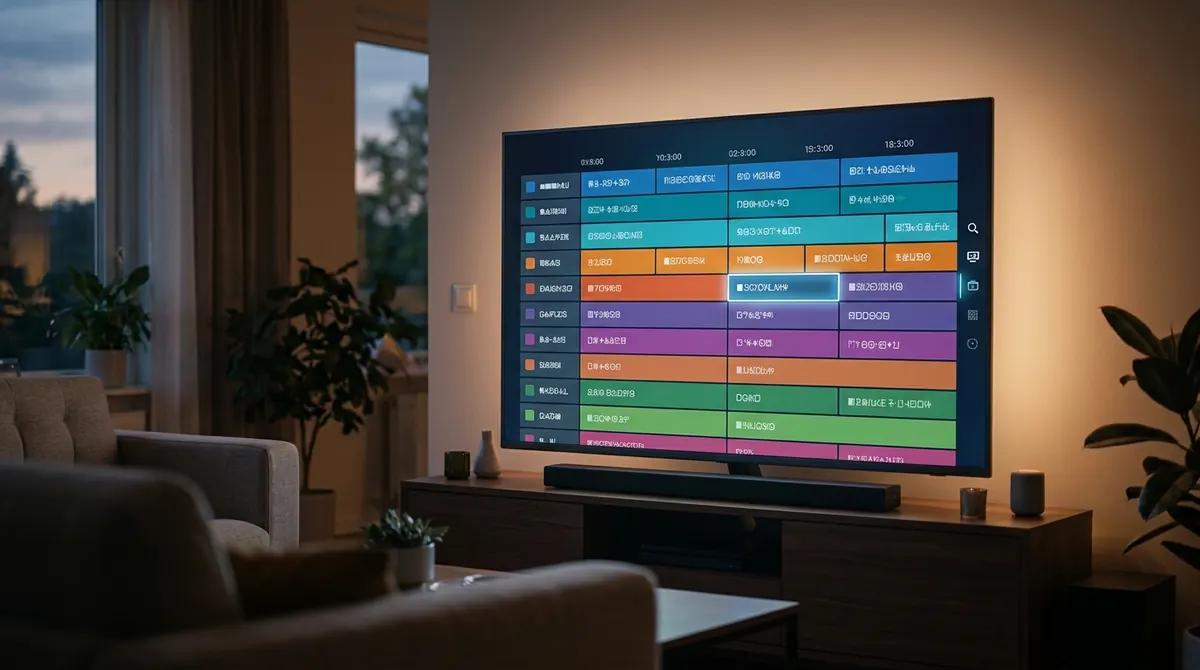
On one side, the player receives the video stream from an M3U playlist or an Xtream Codes connection. On the other, it downloads a guide file, almost always in XMLTV format, describing several days of programs for dozens or hundreds of channels. The player's job is then to match each channel in the playlist to its schedule in the file.
This separation explains most problems: a channel can work perfectly while having an empty guide, because the video and the guide do not depend on each other.
The structure of an XMLTV file
XMLTV is an open format, born in the early 2000s in the free software community, based on the XML language. A file contains a root element <tv>, then two types of blocks: channels and programs.
<?xml version="1.0" encoding="UTF-8"?>
<tv generator-info-name="example">
  <channel id="example1.com">
    <display-name>Example 1</display-name>
    <icon src="https://img.example.com/ex1.png"/>
  </channel>
  <programme start="20260928204500 +0200" stop="20260928223000 +0200" channel="example1.com">
    <title lang="en">Evening documentary</title>
    <desc lang="en">A journey into the heart of the volcanoes of Auvergne.</desc>
    <category lang="en">Documentary</category>
  </programme>
</tv>
The channel element
Each <channel> carries an id attribute, the channel's unique identifier in this file. It is often formed like a domain name (example1.com), but that is only a convention: any string is valid. It also contains one or more display names (<display-name>) and sometimes a logo (<icon>).
The programme element
Each <programme> describes a show: start time (start), end time (stop), the channel concerned (channel, which repeats the id of a <channel> element), title, and optionally summary, category, episode, year, poster or age rating. Programs are independent of one another, which lets a file cover anything from a few hours to several weeks.
Matching playlist and guide: tvg-id
The link between your playlist's channel and its schedule relies on the tvg-id attribute of the #EXTINF line. The rule is simple: the playlist's tvg-id must be identical, character for character, to the id of the <channel> in the XMLTV file.
#EXTINF:-1 tvg-id="example1.com" group-title="General",Example 1 HD
https://tv.example.com/live/ex1.m3u8
If the playlist says tvg-id="Example1.com" and the guide says id="example1.com", matching fails in many players, because the comparison is case-sensitive. When there is no tvg-id, some players try to match by name (tvg-name or the displayed name) against the guide's <display-name>; this is less reliable, because "Example 1 HD" and "Example 1" are not identical.
With an Xtream Codes connection, matching is in principle automatic: for each channel the server supplies an epg_channel_id field that plays the role of the tvg-id, and an XMLTV guide consistent with those identifiers. How this API works is detailed in our article on Xtream Codes connections, and playlist syntax in the M3U format line by line.
Times, time zones and offsets
XMLTV times are written as YYYYMMDDhhmmss followed by an offset from universal time (UTC). So 20260928204500 +0200 means 28 September 2026 at 8:45 pm, in a time zone two hours ahead of UTC, which is 6:45 pm UTC.
In mainland France, legal time is UTC+1 in winter (+0100) and UTC+2 in summer (+0200). The switch to summer time happens on the last Sunday of March, the return to winter time on the last Sunday of October. A correct guide for a French channel must therefore change its offset on those dates, or express everything in UTC with +0000. Other countries use other offsets and change dates.
The player then converts these times to your device's time zone. Hence three possible sources of shift:
| Symptom | Likely cause | Remedy |
|---|---|---|
| The whole guide is off by exactly one hour | The file gives a fixed offset that ignores the clock change, or +0000 although the times are local | Guide offset setting in the player, or the tvg-shift attribute |
| Shift of several hours | Device time zone set wrongly, or guide intended for another country | Check date, time and time zone in the system settings |
| Only one channel shifted | Channel broadcast from another time zone or deliberately delayed ("+1" version) | tvg-shift on that channel only |
| Shift of a few minutes | The channel does not keep to its announced times | None: the guide reflects the planned schedule |
The tvg-shift attribute goes on an #EXTINF line and is expressed in hours, possibly negative or decimal: tvg-shift="-1" moves the guide back one hour for that channel. It is a patch: if the shift appears or disappears at the clock change, the real defect is in the source file.
One last trap, common on TV sticks and boxes: a wrong system date. If the device has not synchronized its clock (no network at startup, no backup battery), the player looks for programs of another day and shows nothing. Turn on automatic date and time in the settings.
Empty guide: the causes, in order
When the guide stays stubbornly empty, work methodically, from the simplest to the most technical.
- The guide is not loaded yet. A large file can take from a few seconds to several minutes on the first download, especially on a modest device. Let the player finish, then reopen the channel list.
- No guide address is entered. With an M3U playlist, you need either a
url-tvgattribute in the header, or an address entered in the player's settings. - The address does not respond. Open it in a browser: you should get a download or XML, not an error page.
- The identifiers do not match. Look for a channel's
tvg-idin the XMLTV file (after decompression). If it is not there exactly, the link is broken. - The guide is out of date. Look at the dates of the last
<programme>entries: a file that stops yesterday cannot show anything today. - The device date is wrong. See the previous section.
If only a few channels have no guide, it is almost always step 4: these channels do not exist in the file, or under another identifier. No player setting can invent a schedule that is absent from the source.
Size, compression and update frequency
An XMLTV file is verbose: each program repeats its tags, its attributes and sometimes long summaries. For a few hundred channels over a week, the file can weigh several tens of megabytes. That is why it is very often distributed compressed in gzip format, with the extension .xml.gz. XML text, very repetitive, compresses well: a size reduced five to ten times is commonly seen.
| Element | Effect on size | Advice |
|---|---|---|
| Number of days covered | Proportional | Two to three days are enough for live TV |
| Number of channels | Proportional | A guide limited to your channels is faster |
| Summaries and images | Significant | Useful, but they make loading heavier |
.gz compression | Greatly reduces the download | Prefer it when the source offers it |
On a TV stick with little memory, it is less the download than the parsing of the file that costs: tens of thousands of programs have to be read and indexed. A targeted guide loads much faster than a "worldwide" guide of which you use only a fraction.
As for frequency, players re-download the guide at regular intervals (often once a day) or on demand. If your schedule seems frozen, force a refresh from the settings. In AICKO IPTV, this operation and adding a guide source are described on the TV guide (EPG) page.
Summary
- The program guide is an XMLTV file separate from the video.
- It contains
<channel>and<programme>elements linked by an identifier. - The playlist's
tvg-idmust be strictly identical to the guide'sid. - Times carry a UTC offset (
+0100or+0200in France);tvg-shiftcorrects a shifted channel. - A guide compressed as
.xml.gzand limited to your channels loads faster.
Frequently asked questions
Why has my guide been an hour off since the clock change?
The source file uses a fixed offset that does not follow the switch to summer or winter time. The lasting remedy is a corrected source; meanwhile, a one-hour offset in the guide settings or a tvg-shift compensates for the defect.
Can I use a different guide from the one from my service?
Yes, if your player lets you enter an XMLTV address. The guide will only work if its channel identifiers match the tvg-id values of your playlist; otherwise you have to adapt those identifiers in the playlist.
Does the player have to decompress the .gz file itself?
Yes, most TV players accept .xml.gz files directly. You only need to decompress it yourself to inspect it, for example with 7-Zip on Windows.
Why do some channels have a guide and others not?
Channels without a guide are absent from the XMLTV file or appear in it under an identifier different from their tvg-id. The player can only display what the source describes.