What a codec is for
Uncompressed video is enormous: one Full HD frame (1920 × 1080 pixels) in 8-bit color weighs about 3 MB in the most common form, and you need 25 to 60 of them per second. One hour would amount to several hundred gigabytes. A codec (short for coder-decoder) reduces this volume by a factor of roughly one hundred to one thousand, by removing what the eye barely notices and by sending, from one frame to the next, only what changes.
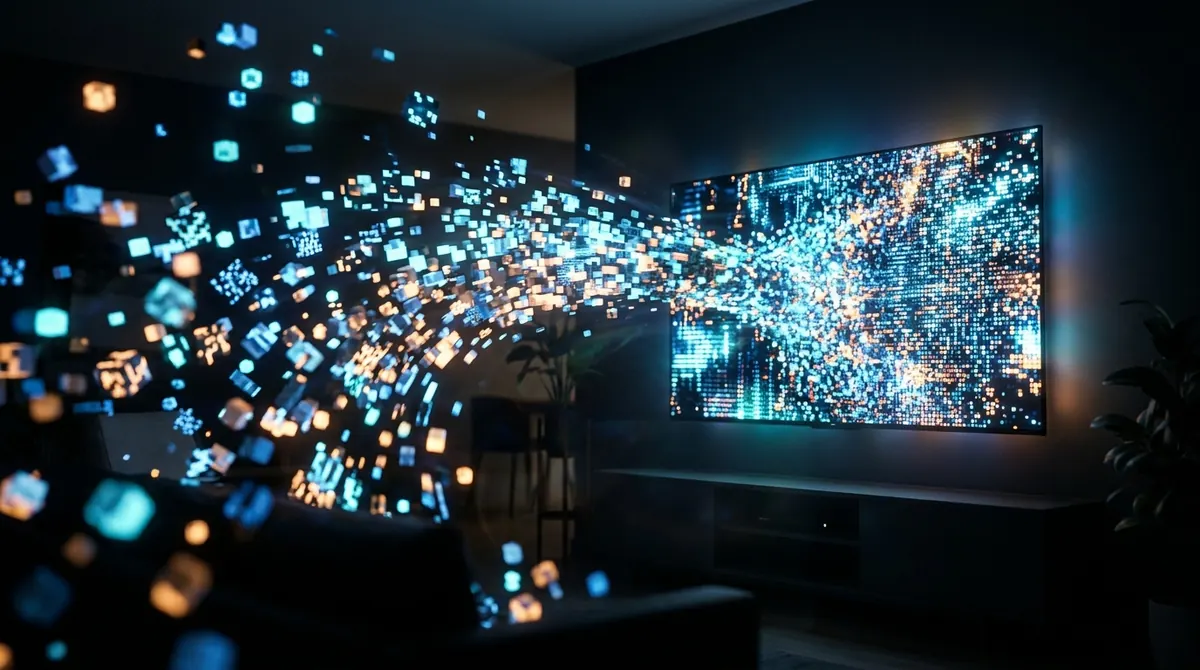
The trade-off is computing work: to display the video, the device has to rebuild each frame from the compressed data. The more efficient the codec, the heavier this work. That is why a recent codec, which saves bandwidth, can put an old device in difficulty.
The codec is independent of the container (MP4, MKV, MPEG-TS) and of the delivery protocol (HLS, DASH). If these notions are unfamiliar, our article HLS, MPEG-TS and DASH introduces them.
H.264, HEVC, AV1: the three generations
H.264 (AVC)
Standardized in 2003, H.264, also called AVC or MPEG-4 Part 10, is the most universal codec. Practically every device sold in the last fifteen years or so decodes it in hardware. It is the default choice of most channels streamed online in HD.
HEVC (H.265)
Standardized in 2013, HEVC aims for the same quality as H.264 at a noticeably lower bitrate, often described as up to half, the real gap depending on the content and the encoder. It has become the standard for 4K and HDR. Its adoption was slowed by a complex patent regime, which explains why it is not always available for free: on Windows, for example, HEVC playback in system apps goes through an extension sold on the Microsoft Store.
AV1
Released in 2018 by the Alliance for Open Media (which includes Google, Netflix, Amazon, Microsoft and Apple, among others), AV1 is royalty-free and even more efficient than HEVC. It is increasingly used by the big video platforms, but hardware decoding is only present on fairly recent chips, generally designed from 2020 onward.
| Criterion | H.264 / AVC | HEVC / H.265 | AV1 |
|---|---|---|---|
| Year | 2003 | 2013 | 2018 |
| Relative efficiency | Baseline | Clearly better | Better still |
| Typical use | HD, live, maximum compatibility | 4K, HDR, UHD television | Video platforms, 4K over the Internet |
| Hardware decoding | Almost universal | Common on 4K devices | Recent chips only |
| Royalties | Yes (licenses) | Yes (several patent pools) | No |
You also come across MPEG-2, the old codec of standard-definition digital terrestrial TV, and VP9, Google's predecessor to AV1, very common on YouTube.
Hardware or software decoding
A device can decode a video in two ways:
- in hardware: a specialized circuit in the chip, dedicated to a specific codec, does the work. It is fast, energy-efficient and silent;
- in software: the main processor calculates everything itself, using programs such as those in the FFmpeg library. It works for almost all codecs, but uses much more power.
Software decoding is an excellent fallback: a powerful computer decodes 1080p HEVC with no trouble even without a dedicated circuit. However, an entry-level TV stick or phone does not have the power to decode 4K HEVC or AV1 in software: the result is a choppy picture, dropped frames, even a frozen screen.
Hardware decoding has its limits too: the circuit only handles the codecs, profiles, resolutions and frame rates the manufacturer planned for. A chip that decodes 8-bit HEVC may refuse 10-bit HEVC; a chip that decodes 4K at 30 frames per second may struggle at 60.
Players built on libmpv, such as AICKO IPTV, first try hardware decoding and switch to software if it fails. The corresponding options are described on the video player page. On a PC, hardware acceleration goes through the graphics driver: an up-to-date driver is often the best fix, as our guide to watching your streams on Windows explains.
Profiles, levels, 10-bit and HDR
Saying a device "plays HEVC" is not enough. Each codec comes in profiles (the compression tools allowed) and levels (the limits on resolution, frame rate and bitrate).
| Codec | Common profiles | Good to know |
|---|---|---|
| H.264 | Baseline, Main, High, High 10 | 8-bit High is almost universal; High 10 is rarely decoded in hardware |
| HEVC | Main (8-bit), Main 10 (10-bit) | Main 10 is essential for HDR |
| AV1 | Main (8 and 10-bit) | The Main profile covers most consumer uses |
The level is expressed as a number: an H.264 stream at level 4.1 suits Full HD, while 4K generally requires level 5.1 or higher. A device limited to a lower level will refuse the stream or decode it badly.
10-bit and HDR
An 8-bit video codes each color component on 256 values; a 10-bit video on 1,024, which avoids banding in sky gradients. HDR (high dynamic range) relies on 10-bit to display brighter whites and more detailed blacks. There are several formats: HDR10 (the common base), HLG (designed for TV broadcast), HDR10+ and Dolby Vision (with dynamic metadata).
Playing HDR requires a complete chain: a 10-bit decoder, a player that passes on the metadata, a compatible video output and an HDR screen. If one link is missing, the picture looks washed out and grayish, or on the contrary too dark. The player can then convert HDR to a standard picture (an operation called tone mapping), which takes extra computation.
Symptoms and solutions
Most codec-related playback problems can be recognized by their symptom. Here are the most frequent cases.
| Symptom | Likely cause | Suggested fix |
|---|---|---|
| Sound without picture (black screen) | Video codec not supported by the chosen decoder, often HEVC or AV1 on an old device | Change the decoding mode (hardware/software), try an SD or HD version of the channel |
| Picture without sound | Audio track in an unsupported format (AC3, E-AC3, DTS) or badly configured audio output | Choose another audio track, turn off passthrough |
| Regular stutter, especially in 4K | Software decoding too heavy for the processor | Turn on hardware decoding or choose a lower quality |
| Green, pink or blocky picture | Faulty hardware decoder on this profile | Switch to software decoding, update the system or driver |
| Washed-out colors | HDR content shown on a non-HDR chain | Turn on HDR to SDR conversion, check the screen's HDR mode |
| Device heats up, battery drains | Prolonged software decoding | Check that hardware acceleration is active |
| Horizontal lines on movement | Interlaced video (1080i, common on TV) not deinterlaced | Turn on deinterlacing in the player |
To tell a codec problem from a network problem, observe the behavior: a network problem causes stops with a loading indicator, then a resume; a decoding problem causes continuous stutter with no loading, even when the buffer is full. Network diagnosis is covered in our guide to fixing buffering.
Finding out what your device decodes
A few methods let you check the real capabilities of your hardware:
- The manufacturer's spec sheet, which generally lists hardware codecs ("HEVC Main 10", "AV1", "Dolby Vision"...). It is the most reliable source for a TV or box.
- The player's playback information: most players show, during playback, the stream's codec, its resolution and the decoder used (hardware or software).
- On Android, system information apps list the hardware decoders declared by the chip.
- On a Windows PC, Task Manager shows, in the Performance tab, the graphics processor's "Video Decode" activity: if it stays at zero during playback, decoding is done in software.
Finally, keep in mind that the codec is chosen by the source, not by the player. If a channel exists only in 10-bit HEVC and your device does not decode it in hardware, no setting will turn it into H.264. The only lasting solution is then a different version of the stream or a newer device.
Summary
- A codec compresses video; the more efficient it is, the more demanding the decoding.
- H.264 is universal, HEVC dominates 4K and HDR, AV1 is royalty-free but needs a recent chip.
- Hardware decoding is fast and frugal; software is a power-hungry fallback.
- The profile (8 or 10-bit) and the level matter as much as the codec name.
- Sound without picture, stutter without loading and overheating almost always signal a decoding problem.
Frequently asked questions
Why do I have sound but no picture?
Sound and picture use two separate codecs. If the audio is compatible but not the video, often HEVC or AV1 on an old device, the player plays the sound over a black screen. Change the decoding mode or choose another quality of the channel.
Is HEVC better than H.264?
At equal bitrate, it gives a better picture, which is valuable in 4K or on a modest connection. But it needs more computation and is not hardware-decoded by all older devices, where H.264 remains more reliable.
Can my device play AV1?
Only fairly recent chips, generally designed from 2020, decode AV1 in hardware. Check the device's spec sheet; without hardware decoding, high-definition AV1 is likely to stutter.
Why does my phone heat up during playback?
Most often, the video is being decoded in software by the main processor. Check that hardware acceleration is enabled in the player and that the stream uses a codec supported by the chip.