Stick, box or smart TV: three approaches
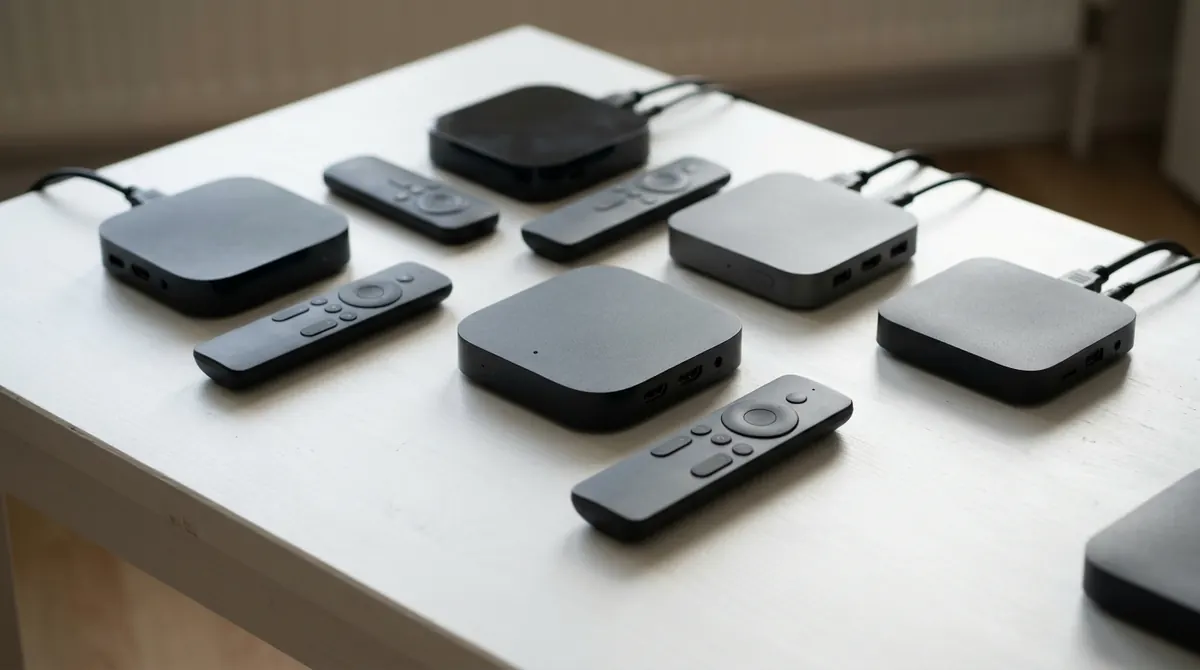
Before comparing models, you need to know what type of device you need. A smart TV already runs apps; a stick or box replaces or supplements it.
| Type | Strengths | Limits |
|---|---|---|
| HDMI stick | Compact, discreet, inexpensive, slips behind the screen | Runs hot, Wi-Fi hindered by the TV, rarely a built-in Ethernet port, small storage |
| Box (a unit placed on the furniture) | Ethernet port, better ventilation, often more memory, USB ports | Bulkier, separate power supply |
| Smart TV alone | No extra device, a single remote | App catalog varies by brand, updates limited in time |
A stick is enough for most uses. A box becomes worthwhile if the TV is far from the router (the Ethernet port changes everything), if you watch a lot of 4K or if you plug in a hard drive. And if your TV is recent and its apps suit you, no purchase is needed.
Criterion number one: a certified device
This is the least visible point and the most important. In the market for Android devices, two worlds coexist:
- Devices certified by Google (Android TV or Google TV). The manufacturer has passed Google's compatibility tests: the Play Store, Google Play Protect, Google services updates and built-in Chromecast officially work. The "Android TV" or "Google TV" logo on the packaging shows it, and Google publishes a list of partners.
- Uncertified boxes, often sold under generic names with impressive spec sheets. They run a version of Android designed for tablets (AOSP), without Google's validation. The Play Store is sometimes added unofficially, and the interface is designed for a touch screen.
Uncertified boxes pose three concrete problems. They almost never receive security updates. Several investigations by security researchers have shown that some shipped with pre-installed malware that turned the device into a relay for fraudulent activity. Finally, they lack the protections needed to play video-on-demand services in high definition, as we will see.
The same logic applies to the other families: an Amazon Fire TV or an Apple TV is a closed ecosystem, but one maintained by its manufacturer.
Widevine L1 or L3: HD depends on one line of the spec
Widevine is Google's digital rights management (DRM) system, used by almost all video-on-demand services on Android. It comes in several security levels:
- L1: decryption and decoding of the video happen in a secure area of the processor. Services then allow HD, 4K and HDR.
- L3: everything is done in software. Services generally limit playback to standard definition, often around 480p or 540p, even on a device advertised as "4K".
A Google TV certified device with Widevine L1, approved by the major video-on-demand services, will play their programs at the best quality your subscription allows. An uncertified box usually settles for L3. To check before buying, look for an explicit mention of Widevine L1 in reviews; once you have the device, free DRM information apps will show it.
A useful point: Widevine only applies to protected content. An unencrypted stream, like those played with a playlist player, does not depend on it. In that case decoding power is what counts.
Processor, memory, storage: reasonable minimums
Spec sheets highlight figures that do not tell the whole story. Here is what counts in practice:
| Component | Recommended minimum | Comfortable | Why |
|---|---|---|---|
| Memory (RAM) | 2 GB | 3 to 4 GB | Switching between apps without reloading, smooth menus |
| Storage | 8 GB | 16 to 32 GB | The system takes up much of it; video app caches grow quickly |
| Video decoding | H.264 and HEVC in hardware | + AV1 and VP9 in hardware | Software decoding of a 4K stream is too heavy for these processors |
| Video output | HDMI 2.0, 4K at 60 frames/s | + HDR10, HDR10+ or Dolby Vision depending on the TV | Match the capabilities of the screen |
Hardware decoding deserves particular attention. A modest processor with an HEVC and AV1 decoder will play 4K video effortlessly, whereas a faster processor without that decoder will stutter. Our article on H.264, HEVC and AV1 codecs explains why. AV1, increasingly used by the big platforms, is present on most recent Google TV devices but not on older entry-level models.
For HDR, it is only worthwhile if the TV supports it too, and in the same format: a Dolby Vision capable device plugged into a TV that only knows HDR10 will display HDR10.
Network: Wi-Fi 5, Wi-Fi 6 and Ethernet port
A streaming device spends its life downloading. The quality of its connection matters as much as its power.
- Wi-Fi 5 (802.11ac): enough for 4K if the router is close, provided you use the 5 GHz band.
- Wi-Fi 6 (802.11ax): better performance when many devices share the network, and more stable latency. Mainly useful if your router is itself compatible; otherwise the device will work in Wi-Fi 5.
- Ethernet: the most reliable solution. A 100 Mbit/s port is more than enough, since a 4K stream is generally between 15 and 25 Mbit/s; a gigabit port adds nothing for video. Sticks without an Ethernet port often accept a USB adapter, to be checked with the manufacturer.
A stick placed behind a TV loses a good part of its Wi-Fi signal, as the panel acts as a screen. The small HDMI extension cable often supplied is not a gimmick: it moves the antenna away from the metal mass. To go further, our comparison Wi-Fi, Ethernet or powerline details each option.
Remote, sound and support period
The remote
You use it every day, so it deserves attention. A Bluetooth remote works without pointing at the device, which lets you hide the stick behind the screen. HDMI-CEC lets you turn on the TV and adjust its volume with the stick's remote; infrared volume buttons are a plus when the TV does not handle CEC well. The microphone for voice search saves a considerable amount of time. Be wary of remotes loaded with shortcuts to services you are not interested in.
The sound
If you have a soundbar or an amplifier, check support for audio passthrough (sending Dolby Digital, Dolby Digital Plus and possibly Dolby Atmos without conversion) and, if your setup uses it, the TV's HDMI ARC or eARC connection.
The support period
This is the other invisible criterion. A device that no longer receives updates becomes, over time, incompatible with new app versions and vulnerable to known flaws. Major brands often publish how long they commit to providing security patches. A recently released model is likely to be supported for longer than an end-of-life model sold at a discount. Google explains on its Google TV help how to check the system version and install updates.
The pre-purchase checklist
- The Google TV / Android TV logo (or the Fire TV or Apple TV ecosystem) is on the packaging.
- Reviews mention Widevine L1 and HD playback of the major services.
- At least 2 GB of RAM and 8 GB of storage, more if possible.
- HEVC hardware decoding and, ideally, AV1.
- 5 GHz Wi-Fi at a minimum, and an Ethernet port or a supported adapter if the router is far away.
- Bluetooth remote with microphone and TV volume control.
- HDR and audio formats matching your TV and sound system.
- A recent release date and a commitment to updates.
A box promising "all the world's channels" pre-installed is a red flag: the device itself is not illegal, but content supplied without the rights holders' permission is, and such devices are often those with the most doubtful security. A good device ships empty, and you install the apps and services you have legal access to. For a player such as AICKO IPTV, the supported devices and their particularities are presented on the Android TV and Google TV page.
Summary
- Certification (Google TV, Android TV, Fire TV, Apple TV) matters more than the spec sheet.
- Widevine L1 determines HD on video-on-demand services.
- Aim for 2 GB of RAM, 8 GB of storage at a minimum and HEVC and AV1 hardware decoding.
- The Ethernet port remains the best guarantee of stability; on Wi-Fi, use 5 GHz.
- Favor a recent model supported by security updates.
Frequently asked questions
Is an uncertified box illegal?
No, the device itself is legal. But it generally receives neither updates nor DRM certification, which limits quality on official services and exposes you to security flaws.
Why does my "4K" box show films in low definition?
Most often because it only has Widevine L3, or because it is not approved by the service concerned. The service then limits the resolution, whatever the power of the device.
Is Wi-Fi 6 essential?
No. It only brings a benefit if the router is also compatible and the network is busy. Good 5 GHz Wi-Fi 5 or an Ethernet cable is enough for 4K.
Do I need a gigabit Ethernet port?
Not for video: even a demanding 4K stream stays well below the 100 Mbit/s of a standard Ethernet port.